

Site speed directly impacts user experience, SEO rankings, and conversions. Slow load times can increase bounce rates by 32% and reduce conversions by up to 20%. WordPress sites often face performance issues due to dynamic content generation and database bloat. The solution? Performance plugins that optimize caching, images, and databases.
Here’s a quick look at the 10 best WordPress plugins for improving load times:
- WP Rocket: Premium caching plugin with instant setup, lazy loading, and database cleanup. Starts at $59/year.
- NitroPack: Cloud-based optimization with adaptive image sizing and a free plan for small sites.
- Perfmatters: Lightweight plugin for script management and reducing WordPress bloat. Starts at $24.95/year.
- LiteSpeed Cache: Server-level caching for LiteSpeed servers, free with advanced features.
- FlyingPress: Advanced caching and image optimization with lazy loading and preloading. Starts at $60/year.
- WP-Optimize: Combines database cleanup, caching, and image compression. Free version available; premium starts at $49/year.
- ShortPixel: Image compression and WebP conversion. Free plan includes 100 image credits/month.
- Advanced Database Cleaner: Focuses on database optimization and cleanup. Premium starts at $39 (one-time payment).
- FlyingCDN: Edge caching and real-time file optimization. Bandwidth costs $3 per 100GB/month.
- Airlift by BlogVault: Cloud-powered static page caching with daily re-optimization. Premium starts at $99.50/year.
Key Takeaway: These plugins address specific site speed challenges, from caching to image compression. Choose based on your site’s needs, hosting environment, and budget. For beginners, WP Rocket and NitroPack offer easy setup, while advanced users may prefer Perfmatters or LiteSpeed Cache.
Quick Comparison:
| Plugin | Free Option | Starting Price | Key Features | Best For |
|---|---|---|---|---|
| WP Rocket | No | $59/year | Caching, lazy loading, database cleanup | Beginners, eCommerce sites |
| NitroPack | Yes | $7/month | Cloud-based optimization, CDN | High-traffic sites |
| Perfmatters | No | $24.95/year | Script management, reduces WordPress bloat | Script-heavy sites |
| LiteSpeed Cache | Yes | Free | Server-level caching, lazy loading | LiteSpeed-hosted sites |
| FlyingPress | No | $60/year | Advanced caching, image optimization | Core Web Vitals focus |
| WP-Optimize | Yes | $49/year | Database cleanup, caching, image compression | Growing sites, WooCommerce |
| ShortPixel | Yes | $9.99/month | Image compression, WebP conversion | Image-heavy sites |
| Advanced DB Cleaner | Yes | $39 one-time | Database cleanup, orphaned tables removal | Long-running WordPress sites |
| FlyingCDN | No | $60/year | Edge caching, real-time optimization | CDN-focused optimization |
| Airlift | Yes | $99.50/year | Cloud caching, daily re-optimization | WooCommerce, static sites |
Pick one plugin to avoid conflicts, and test changes on a staging site before going live.
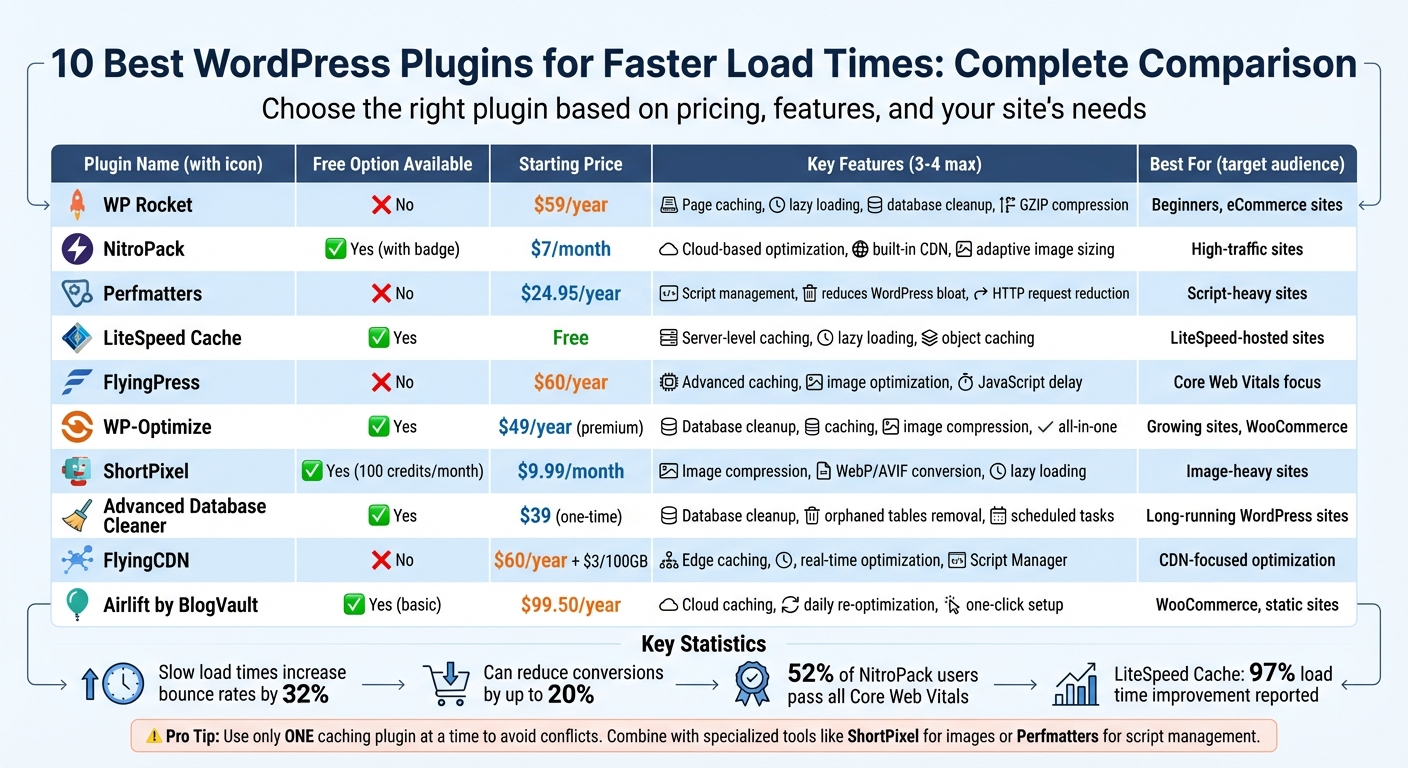
WordPress Speed Plugin Comparison: Features, Pricing & Best Use Cases
The one trick that finally speeds up WordPress
1. WP Rocket
WP Rocket is a premium caching plugin designed to deliver immediate performance improvements without requiring any technical expertise. Once activated, it automatically implements 80% of the best practices for web performance. Trusted by over 5,280,000 websites and boasting a 92% satisfaction score based on 2,311 customer reviews, it’s a favorite among WordPress users.
Caching Capabilities
WP Rocket creates static HTML files to bypass the need for WordPress to process PHP or query databases every time a page is loaded. It also caches assets like images, JavaScript, and CSS directly on visitors’ devices. With GZIP compression, file sizes shrink, making transfers faster. The plugin’s proactive cache preloading feature crawls your site to generate cached pages ahead of time, eliminating delays for first-time visitors. It even generates separate cache files for mobile users and excludes e-commerce pages like shopping carts to ensure a seamless checkout experience.
Performance benchmarks highlight its speed, with a TTFB of 0.040 seconds, LCP of 0.141 seconds, and full page load in just 0.307 seconds. For an added boost, WP Rocket includes advanced options to delay JavaScript execution until user interaction, which can help improve Core Web Vitals scores.
On top of its caching capabilities, WP Rocket also optimizes how media is delivered.
Image Optimization Features
The plugin enhances image loading with lazy loading, ensuring images, iframes, and videos only load when users scroll to them. To maintain visual integrity, it identifies the Largest Contentful Paint (LCP) element and excludes above-the-fold images from lazy loading, ensuring these key visuals display quickly. It also supports serving images in the WebP format, a modern standard for better optimization and faster load times.
But WP Rocket doesn’t stop at caching and images – it also helps keep your database running smoothly.
Database Cleanup and Optimization
WordPress databases can become bloated over time with unnecessary data, such as post revisions, auto-drafts, spam comments, and expired transients. WP Rocket includes tools to clean up this clutter and optimize database tables. You can even schedule automatic cleanups to ensure your database remains efficient over time.
Seamless Integration with WordPress
Setting up WP Rocket is fast and hassle-free – it’s ready to go within three minutes, with no coding required.
Nick Roach, CEO of Elegant Themes, says: "WP Rocket is a great caching plugin that hits all the marks… Our customers love it because it speeds up their sites, simple as that!"
The plugin works immediately upon activation, sparing users from complex configuration processes. It’s also the only performance plugin officially supported by all major managed WordPress hosting providers. For added convenience, WP Rocket includes Rocket Insights, a performance tracking tool powered by GTmetrix, allowing you to monitor PageSpeed scores and Core Web Vitals directly from your WordPress dashboard.
Pricing starts at $59 per year for a single website, $119 per year for up to three websites, and $299 per year for unlimited websites. All plans include a 14-day money-back guarantee.
2. NitroPack
NitroPack is a cloud-based optimization plugin designed to handle resource-heavy tasks on its servers rather than your hosting environment. With over 100,000 active installations and a solid 4.3/5 star rating on WordPress.org, it’s a popular choice for boosting website performance. NitroPack optimizes more than 6 million pages daily and helps 52% of its users consistently pass all Core Web Vitals metrics – the highest success rate among major WordPress speed plugins. Let’s dive into how its caching system plays a key role in these impressive results.
Caching Capabilities
NitroPack’s caching system goes beyond the traditional approach. By running optimizations on enterprise-grade cloud infrastructure, it reduces the strain on your hosting resources. Its Cache Warmup feature preloads pages before visitors arrive, ensuring that even first-time users experience fast load times. When content updates occur, NitroPack smartly retains the old cache while generating a new version in the background, preventing server overload. Beyond caching, NitroPack also shines in image optimization.
Image Optimization Features
NitroPack simplifies image optimization by automating key tasks. It resizes images, converts them to the WebP format, and compresses files – reducing image sizes by up to 7x without compromising quality. Its Adaptive Image Sizing ensures that images are perfectly scaled for different devices. Optimized websites boast a median image weight of just 111.73 KB per page. Additional features like advanced lazy loading delay the loading of off-screen images, GIFs, and videos, while static video thumbnails reduce the load from heavy video players.
Ease of Integration with WordPress
Setting up NitroPack is straightforward and takes less than five minutes. Simply install the plugin, create a NitroPack account, and enter your API credentials to start automatic background optimizations. NitroPack’s "Ludicrous" mode handles advanced tasks – like generating critical CSS and deferring JavaScript – with a single click, requiring no technical expertise.
For example, in early 2025, Aaron Services integrated NitroPack into their website and achieved a 90+ PageSpeed Insights score on both mobile and desktop. This led to a 113.48% increase in average engagement time per user and a 22% drop in sitewide bounce rates. NitroPack is also compatible with popular tools like WooCommerce, Elementor, Divi, and Yoast SEO, making it a versatile choice.
The plugin offers a free plan, which includes up to 1,000 pageviews per month and 1GB of CDN bandwidth (with a small "powered by" badge in the footer). Paid plans start at $7 per month and come with a 14-day money-back guarantee.
3. Perfmatters
Perfmatters takes a different route when it comes to speed optimization – it skips caching altogether. Instead, it focuses on cutting down unnecessary bloat and managing scripts to prevent extra code from loading. Impressively, over 43% of websites using Perfmatters meet Core Web Vitals standards. With a lightweight design of under 50 KB, this plugin works seamlessly alongside traditional caching tools, enhancing your site’s performance by tackling inefficiencies at their root.
Database Cleanup and Optimization
Perfmatters doesn’t just boost your site’s speed – it also keeps your WordPress database in check. It clears out unnecessary clutter like post revisions, auto-drafts, spam comments, trashed posts, and expired transients, all of which can weigh down the wp_options table. You can also limit how many post revisions are stored, striking a balance between having a safety net and avoiding database bloat. On top of that, it optimizes database tables automatically and allows you to schedule cleanups on a daily, weekly, or monthly basis, keeping your site running smoothly without constant manual intervention.
Ease of Integration with WordPress
Perfmatters is designed with simplicity in mind. Its user-friendly dashboard makes it easy to toggle features on or off, and it’s built to work alongside popular caching plugins like WP Rocket or LiteSpeed Cache. By eliminating redundant assets, it complements these tools to further improve site speed. The plugin’s Script Manager is another standout feature, letting you disable unnecessary CSS and JavaScript on specific pages. For example, you can turn off contact form scripts across your site and enable them only on your "Contact" page. Additionally, its Testing Mode ensures changes are only visible to logged-in administrators, so you can tweak settings without causing disruptions for visitors.
"Perfmatters is an essential part of my WordPress toolbox. I use it on every website because it allows me to cut bloat and speed up my sites without technical headaches."
- Adam Connell, Founder, Blogging Wizard
Another handy feature is Speculative Loading, which uses browser optimizations to prefetch likely next-page URLs, giving users the impression of near-instant load times. Pricing starts at $24.95 per year for a single site, with options for 3 sites at $54.95 per year, or unlimited sites at $124.95 per year. However, one downside is the lack of a free version. Plus, configuring the Script Manager effectively does require a basic understanding of your site’s assets.
4. Airlift by BlogVault
Airlift simplifies website performance by shifting resource-heavy tasks to its cloud, creating static pages that load in an instant. Its caching engine ensures outdated content is cleared out when updates are made, while dynamic pages – like shopping carts – are excluded to keep WooCommerce functioning seamlessly. This setup provides a solid foundation for its advanced image handling and integration capabilities.
Image Optimization Features
Airlift enhances image performance by resizing them to suit all device types, compressing them into WebP format, and enabling lazy loading for off-screen elements like images, videos, and iframes. At the same time, it preloads critical visuals that appear above the fold for faster page rendering.
Seamless WordPress Integration
Setting up Airlift is quick and effortless, taking just 60 seconds with its one-click automation feature. As the team behind Airlift explains:
"Airlift is truly a one-click solution. You do not need any technical skills or specialized coding knowledge to speed up your website. There are no complex settings or configurations."
The plugin goes a step further by performing daily site analyses and automatically re-optimizing content, making it a true "set-it-and-forget-it" tool. It also offers tailored support for popular page builders like Elementor and Divi, ensuring smooth compatibility. While Airlift’s free plan includes basic caching and optimization, the premium plan – priced at $99.50 per year – unlocks full automation, including daily re-optimization and cache clearing.
5. LiteSpeed Cache
LiteSpeed Cache stands out with its server-level caching, which is faster than the PHP-level solutions most plugins rely on. With over 7 million active installations and an impressive 4.8/5 star rating, this free plugin has delivered exceptional results for users. For instance, one user reported a dramatic 97% improvement in load time, cutting it down from 2.05 seconds to just 0.07 seconds. Its Edge Side Includes (ESI) technology is another highlight, allowing full-page caching while keeping dynamic elements like shopping carts and personalized widgets updated in real-time.
Caching Capabilities
LiteSpeed Cache goes beyond standard caching tools by offering private caches for logged-in users, a rare feature in this space. It also supports object caching with Redis and Memcached, making it ideal for database-heavy operations. The plugin’s Cache Crawler preloads pages before visitors arrive, and its smart purge system uses a tag-based method to clear only the necessary cache when content changes. According to the Core Web Vitals Technology Report, 44% of sites using LiteSpeed Cache meet the assessment criteria, with a median First Contentful Paint of just 0.93 seconds. In addition to its caching prowess, LiteSpeed Cache brings advanced image optimization to the table.
Image Optimization Features
The plugin offers both lossless and lossy compression, supports modern formats like WebP and AVIF, and resizes images automatically. Its lazy loading feature delays the loading of images and iframes until they’re visible on the screen, significantly boosting initial page speed.
"Their image optimization tools are a lifesaver. They’ve significantly reduced image sizes without losing quality."
By reducing image sizes without sacrificing quality, LiteSpeed Cache ensures faster load times. But optimizing images is just one part of the equation – maintaining a clean and efficient database is equally important.
Database Cleanup and Optimization
LiteSpeed Cache includes a built-in database cleaner that removes unnecessary data like post revisions, expired transients, and spam comments. This automated cleanup keeps your database streamlined and queries running efficiently, preventing performance issues caused by database bloat over time.
Ease of Integration with WordPress
The plugin simplifies setup with one-click presets, offering configurations that range from Basic to Advanced for instant optimization.
"The one click presets will do it for… sites"
While its full server-level caching capabilities require a LiteSpeed Web Server or the QUIC.cloud CDN, other features like image optimization and database cleanup work on any server, including Apache and NGINX. LiteSpeed Cache also integrates effortlessly with popular tools like WooCommerce, Elementor, and Yoast SEO, making it a versatile choice for WordPress users.
6. FlyingPress
FlyingPress is a plugin designed to speed up websites with advanced optimization tools and an easy-to-use interface. With a 4.7/5 rating on Trustpilot from over 300 reviews, it’s trusted by more than 10,000 freelancers, agencies, and companies. Its January 2026 update (v5.3) introduced built-in image optimization, further enhancing its all-in-one approach by combining caching, image handling, and database optimization.
Caching Capabilities
FlyingPress excels in caching by creating static HTML files, which bypass heavy PHP processing. Its "Flying Pages" engine preloads pages in the background before users even click a link, ensuring a faster browsing experience. The plugin also offers advanced exclusion rules, allowing you to exclude specific pages, cookies, or user agents to avoid caching issues with dynamic content.
Additional features like lazy rendering delay the loading of non-essential HTML elements (e.g., footers, comments) via CSS selectors, reducing the initial DOM size. The "Delay JavaScript" feature ensures non-critical scripts load only after user interaction, leading to better Largest Contentful Paint (LCP) scores.
Performance tests underscore these benefits. In 2025, WPKube tested FlyingPress on a Kadence Theme Elementor-powered demo site and found significant improvements: Time to First Byte (TTFB) dropped from 0.794s to 0.280s, and LCP improved from 1.494s to 0.580s. During stress tests with Loader.io, a site that previously crashed at 250 visits per minute managed a 39ms average response time when FlyingPress was active.
Image Optimization Features
FlyingPress includes smart lazy loading controls, allowing you to exclude above-the-fold images from lazy loading. This ensures key content appears quickly, improving LCP scores. The plugin also automatically adds missing height and width attributes to images, preventing layout shifts during page loads and boosting Cumulative Layout Shift (CLS) scores.
"Mobile Core Web Vitals went from fail to GREAT! FlyingPress has excellent technology, service, support, reliability, and updates." – Jeffrey T. Baygents
For even more advanced image handling, FlyingPress integrates with the optional FlyingCDN add-on, priced at $3 per 100GB per site/month. This add-on offers real-time image optimization, including compression, resizing, and conversion to modern formats like WebP, all powered by a global network with over 70 Points of Presence.
Database Cleanup and Optimization
FlyingPress also tackles database clutter by automatically cleaning up obsolete posts and transients while optimizing database tables. These cleanups can be scheduled to run weekly, ensuring your site stays lean and responsive, complementing the speed improvements provided by its other features.
Ease of Integration with WordPress
FlyingPress is designed for quick setup, requiring no coding knowledge. It works seamlessly with all major hosting providers, themes, and page builders, including platforms with built-in caching like WP Engine and Kinsta.
"FlyingPress was easy to set up, and the performance was great out of the gate." – Travis Ross
The plugin offers four pricing tiers to suit different needs:
- Personal: $60/year for 1 site
- Developer: $150/year for 5 sites
- Professional: $250/year for 50 sites
- Agency: $500/year for 500 sites
These plans include a 30% renewal discount after the first year, along with a 14-day free trial and money-back guarantee.
sbb-itb-976b402
7. WP-Optimize
WP-Optimize is a plugin trusted by over 1 million websites, boasting an impressive 4.8/5 rating. It combines database cleanup, caching, and image compression into a simple "set and forget" system, making it a go-to tool for speeding up WordPress sites.
Database Cleanup and Optimization
This plugin tackles database clutter by removing unnecessary items like post revisions, auto-drafts, trashed posts, spam comments, and expired transients. It also defragments MySQL tables and optimizes the postmeta table, improving data retrieval speeds. For WooCommerce users, the premium "Power Tweaks" feature replaces slower default queries with faster ones, ensuring smoother performance even during high transaction volumes.
To keep your database tidy without constant effort, you can schedule cleanups to run automatically on a daily, weekly, or monthly basis.
Caching Capabilities
WP-Optimize simplifies caching with a one-click setup that generates static HTML files and applies GZIP compression. This can shrink the size of pages and stylesheets by up to 90%, significantly improving load times. With cache preloading, you can enhance first-visit speeds, though this feature requires manual activation. The plugin also allows you to minify and combine HTML, CSS, and JavaScript files, reducing server requests and further boosting performance.
Image Optimization Features
When it comes to images, WP-Optimize offers both lossy and lossless compression, along with automatic WebP conversion to reduce file sizes. You can enable "Auto-compress" to optimize images as you upload them, or use the bulk compression option for existing files. Premium features include lazy loading for images and videos, as well as tools to locate and delete unused images that are no longer linked to any posts.
Seamless WordPress Integration
Installing WP-Optimize through the WordPress dashboard is quick and straightforward. Caching can be activated with a single click, and the preloader is ready to go right away. The free version includes all the essential features, while premium plans start at $49 per year for one site, $99 per year for up to five sites, and $199 per year for unlimited websites.
8. ShortPixel
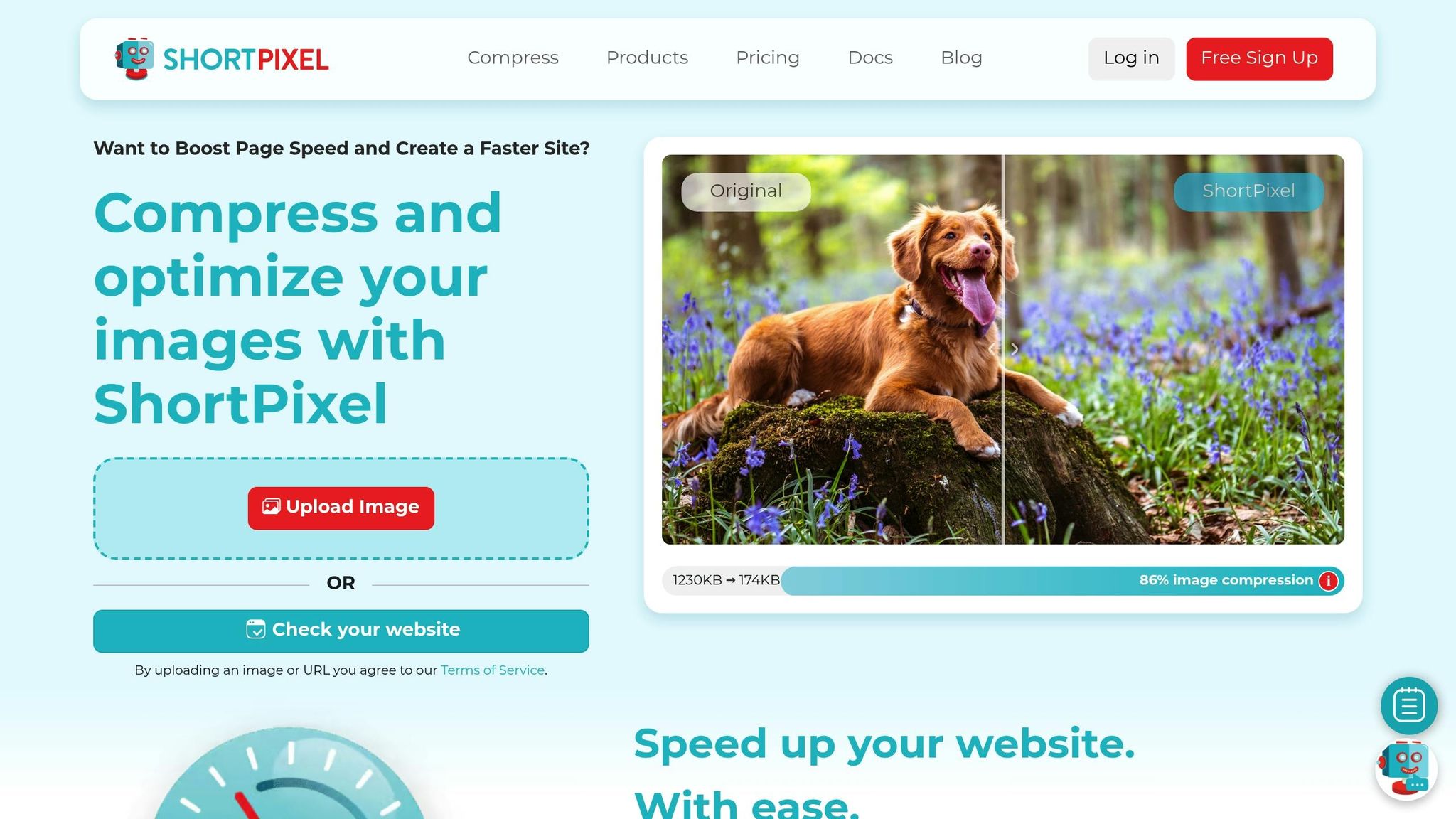
ShortPixel is a popular image optimization plugin with over 300,000 active users and a solid 4.5/5 rating. It’s designed to shrink image file sizes using advanced compression techniques and next-gen format conversion – perfect for image-heavy websites. This emphasis on optimizing images works hand-in-hand with caching and cleanup tools for better site performance.
Image Optimization Features
ShortPixel offers three compression options to suit different needs: Lossy for maximum file size reduction, Glossy to maintain high visual quality, and Lossless for retaining 100% image quality with only minor size reductions. It also automatically converts JPEG, PNG, and GIF files into modern formats like WebP and AVIF, which are 25%–34% smaller without sacrificing quality.
The plugin can reduce image sizes by up to 90%, which can boost website speed by an estimated 30% to 50%. Other handy features include automatic resizing for large uploads, lazy loading for images below the fold, and AI-powered smart cropping to create subject-focused thumbnails.
"ShortPixel is our tool of choice, simply because it’s pretty much automated – we just let it do its thing." – AuthorityHacker
All image optimizations are processed in ShortPixel’s cloud system, which keeps your server load light. Optimized images are then delivered through a global CDN, ensuring fast delivery from the closest location. The plugin also allows WebP and AVIF conversion and includes a Bulk ShortPixel feature to optimize your entire Media Library in one click. To maintain a fast Largest Contentful Paint, you can exclude hero images from lazy loading.
Ease of Integration with WordPress
Setting up ShortPixel through the WordPress dashboard is simple and user-friendly. It’s fully compatible with WooCommerce, NextGEN Gallery, WPML, and popular page builders like Elementor. The free plan includes 100 image credits per month, while paid plans start at $9.99 per month for 7,000 credits. There’s also a one-time option priced at $19.99 for 10,000 credits.
9. Advanced Database Cleaner
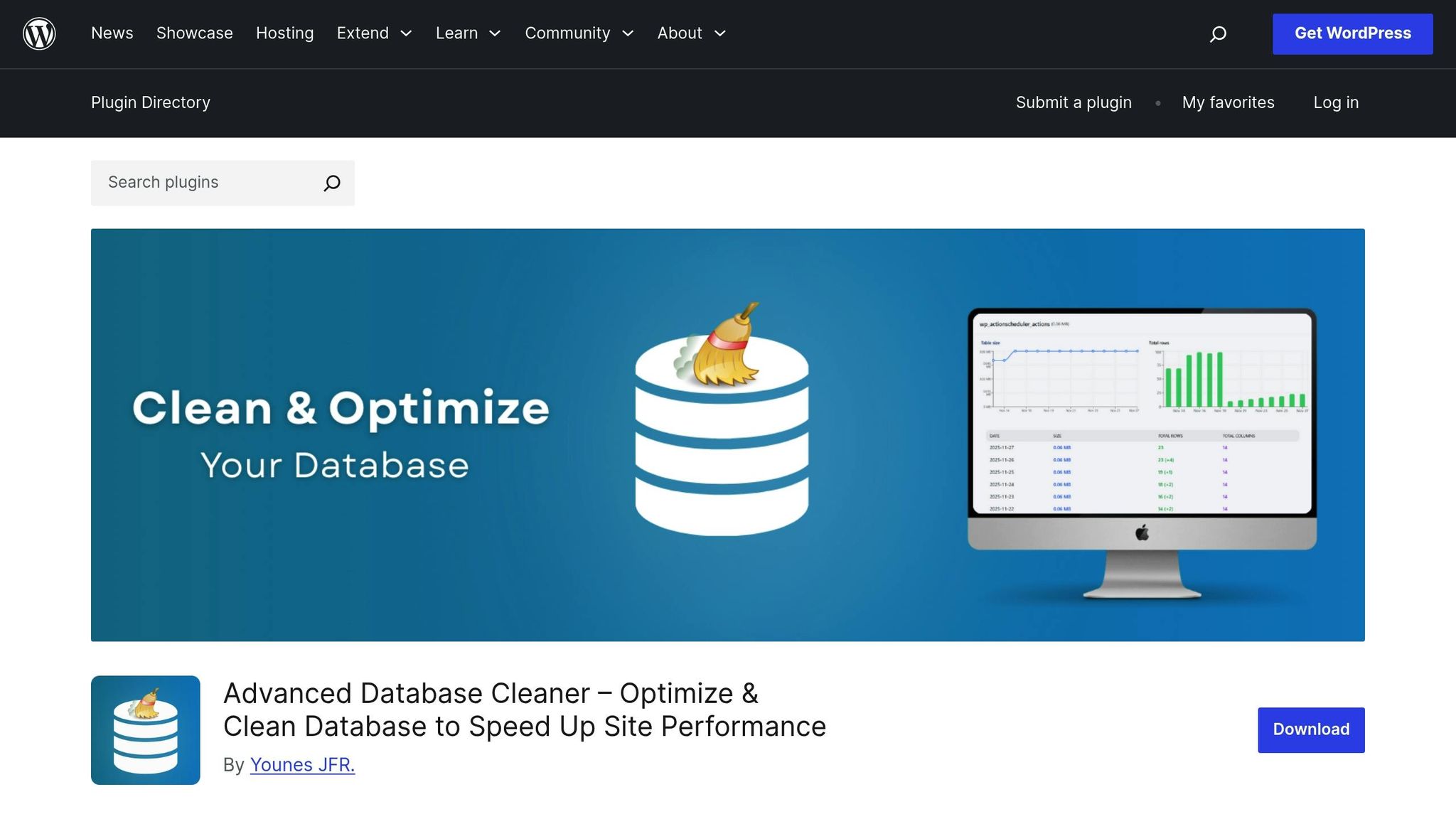
Advanced Database Cleaner is trusted by over 100,000 websites and boasts an impressive 4.9/5 rating. Unlike plugins that try to do it all, this tool zeroes in on one goal: keeping your database lean and efficient by tackling unnecessary clutter that can slow down data retrieval.
Database Cleanup and Optimization
This plugin specializes in clearing out the junk that accumulates in your database over time. It removes outdated revisions, spam, pingbacks, and duplicate metadata from posts, comments, users, and terms. By trimming this excess, your database becomes smaller, which means faster data retrieval.
"Optimizing your database reclaims unused space and reorganizes the way data is stored inside your tables… Optimization reduces storage usage and improves the speed at which your database responds." – Advanced Database Cleaner FAQ
Once the basic cleanup is done, the plugin offers more advanced tools. It can manage autoloaded options, clean orphaned cron jobs, and pinpoint large or expired transients. The Premium SmartScan feature takes it a step further, using remote scanning to detect orphaned tables and leftover metadata from uninstalled plugins and themes with remarkable accuracy. Premium users also gain access to Database Analytics, which provides daily and monthly charts to monitor growth trends and identify unusual table expansions caused by logs or caches.
Seamless Integration with WordPress
Using Advanced Database Cleaner is straightforward. In your WordPress Dashboard, it appears as "WP DB Cleaner", and its React-powered interface (v4.0.0+) makes navigation intuitive. You can set up multiple scheduled tasks to automate cleanups on an hourly, daily, weekly, or monthly basis. There’s even an option to retain recent data by applying a "keep last X days" rule.
The free version offers essential cleanup and optimization features, along with up to five scheduled tasks. For those who need more, the premium version starts at a $39 one-time payment and unlocks unlimited automation, SmartScan, and analytics.
10. FlyingCDN (with Script Manager)
FlyingCDN is a content delivery network (CDN) built to do more than just deliver assets. Powered by Cloudflare Enterprise, it boasts a massive network with over 330 locations worldwide and a capacity of 449 Tbps. What makes it stand out is its ability to combine edge caching with real-time file optimization, ensuring your files are not only delivered quickly but also fine-tuned as they’re served.
Caching Capabilities
FlyingCDN leverages its extensive infrastructure to refine how assets are delivered. It caches static files like CSS, JavaScript, and images at edge locations closest to your users, significantly cutting down Time to First Byte (TTFB). Unlike many CDNs that simply store and serve files, FlyingCDN goes a step further by performing on-the-fly code minification directly on its servers, reducing the load on your hosting environment. For dynamic sites like WooCommerce, it employs advanced techniques like hole-punching and Argo Smart Routing to ensure fast load times, even for personalized content.
In stress tests, integrating FlyingCDN with FlyingPress brought response times down from 706 ms to just 27 ms. Its Script Manager gives you precise control over which CSS and JavaScript files load on specific pages, making it easier to remove unnecessary scripts from page builders like Elementor. You can also defer or delay scripts to enhance Core Web Vitals, such as improving your Largest Contentful Paint (LCP) score.
Image Optimization Features
FlyingCDN handles image optimization in real time. It converts images to WebP format, resizes them for mobile devices, and adds dimensions to prevent layout shifts. These features eliminate the need for additional image optimization plugins. The service also includes lazy loading for both standard images and background images, further improving performance.
Seamless WordPress Integration
FlyingCDN integrates effortlessly with WordPress through the FlyingPress plugin, starting at $60 per year for a single site. Setup is simple – just enter the CDN URL and choose the assets you want to optimize. The system conducts daily automated scans of your site, adjusting configurations as your themes, plugins, or content evolve. Bandwidth costs are $3 per 100 GB per site per month, and the plugin includes tools like database cleanup to remove post revisions, trashed posts, and expired transients on a schedule.
If you need help with setup or optimization, WP Support Specialists are available to assist.
Plugin Comparison Table
Choosing the right plugin depends on your budget, technical expertise, and specific site needs. The table below outlines how various plugins compare in terms of pricing, core features, and the types of websites they’re best suited for.
| Plugin | Pricing | Key Features | Best For |
|---|---|---|---|
| WP Rocket | $59/year | Page caching, browser caching, Gzip compression, JavaScript delay execution | eCommerce sites (WooCommerce), business sites, beginners |
| NitroPack | Free (with badge); Paid plans available | All-in-one optimization, built-in global CDN, adaptive image sizing, server-side processing | High-traffic eCommerce sites |
| Perfmatters | $24.95/year | Script Manager, HTTP request reduction, disables WordPress bloat (emojis, embeds) | Performance enthusiasts, sites burdened by excessive scripts |
| LiteSpeed Cache | Free | Server-level caching, faster than PHP-based caching, LiteSpeed server optimization | Sites hosted on LiteSpeed servers exclusively |
| FlyingPress | Paid (varies) | Font optimization, preloading to prevent layout shifts, lazy loading for images and iframes | Sites focused on Core Web Vitals and critical performance metrics |
| WP-Optimize | Free; Premium from $49/year | Database cleanup, image compression (WebP), page caching, all-in-one interface | Growing sites needing database maintenance, eCommerce sites |
| ShortPixel | Free (limited); Paid options | Advanced image compression (lossy/lossless), WebP conversion | Image-heavy sites, photography portfolios, visual blogs |
| Advanced Database Cleaner | Varies | Removes post revisions, spam, expired transients, scheduled cleanup | Sites with bloated databases, long-running WordPress installations |
Here’s a quick breakdown to guide your decision:
- WP Rocket is perfect for beginners, as it implements 80% of optimization best practices automatically.
- LiteSpeed Cache shines on LiteSpeed servers, offering server-level caching for unmatched speed.
- Perfmatters is a go-to choice for trimming unnecessary scripts and boosting performance on script-heavy sites.
Pro Tip: Avoid using multiple caching plugins simultaneously, as this can lead to conflicts and errors. Instead, combine one caching plugin with specialized tools like ShortPixel for image compression or Perfmatters for script management.
If you’re unsure where to begin, consider reaching out to WP Support Specialists. They can assess your site and recommend the best plugin combination for your needs.
Conclusion
A speedy website isn’t just a luxury – it’s a game-changer. Faster loading times lead to higher engagement, improved search rankings, and better conversion rates. The plugins discussed here, with features like caching, image compression, and database optimization, can help you achieve that performance edge. The key is finding the one that aligns with your site’s specific needs.
For beginners, all-in-one solutions like WP Rocket or NitroPack offer simplicity and automatic optimization. If your site runs on a LiteSpeed server, LiteSpeed Cache is an excellent choice thanks to its tight server-level integration. Struggling with excessive scripts? Perfmatters can help by cutting unnecessary code. And for image-heavy sites, ShortPixel provides compression tools to significantly reduce image sizes without sacrificing quality.
"Speed changes everything. A faster site means happier visitors, better rankings, and more conversions." – Adam Connell, Founder, Blogging Wizard
Once you’ve implemented your chosen tools, it’s crucial to measure their impact. Start by testing your site’s current speed using tools like GTmetrix or Google PageSpeed Insights. Keep in mind that Google aggregates performance data over 28 days, so give it at least a month to evaluate any changes. To avoid potential disruptions, always test new plugins on a staging site first – especially features like minification or script combining, which can sometimes break site functionality.
For a deeper dive into optimizing your site, consider reaching out to WP Support Specialists. They can help identify performance bottlenecks and recommend the best plugin stack to suit your goals.
FAQs
How can I choose the best WordPress plugin to speed up my website?
To find the right WordPress plugin to boost your site’s speed, start by pinpointing the specific issues slowing it down. Are un-cached pages dragging your load times? Maybe oversized images or a messy database is the culprit? For returning visitors, caching plugins like WP Rocket or LiteSpeed Cache can work wonders. If image size is the problem, look for plugins offering lossless compression and lazy loading features. For more advanced needs, tools like NitroPack provide an all-in-one solution, combining caching, minification, and script optimization.
Next, think about your technical expertise and budget. Free options like Autoptimize are ideal if you’re comfortable handling manual setups. On the other hand, premium plugins like WP Rocket offer a more streamlined experience with built-in features like CDN integration, making them a great choice for users who prefer simplicity. Whatever you choose, ensure the plugin is compatible with your theme and other plugins, and verify that it’s regularly updated and supported.
If you’d rather leave it to the pros, services like WP Support Specialists can step in. They’ll analyze your site’s performance, recommend the best tools, and handle all the setup and maintenance – leaving you free to focus on growing your website.
Will using more than one caching plugin speed up my WordPress site?
Using more than one caching plugin on your website might seem like a good idea, but it often does more harm than good. Instead of boosting performance, it can cause plugin conflicts and errors, potentially slowing your site down.
To keep things running smoothly, choose one caching plugin that fits your website’s requirements and configure it properly. Beyond that, consider improving other areas like compressing images, cleaning up your database, and upgrading your hosting to further enhance your site’s performance.
What are the main differences between WP Rocket and NitroPack for improving WordPress site speed?
WP Rocket is a caching plugin specifically designed for WordPress, giving users extensive control over performance settings. With features like caching, file minification, lazy loading, and database cleanup, it allows for precise optimization. Additionally, it offers optional add-ons like RocketCDN for a content delivery network and Imagify for image optimization. This makes WP Rocket a great choice for those who want to fine-tune their website’s speed and performance.
NitroPack takes a different approach. It’s a cloud-based service that automatically manages caching, image compression, code optimization, and includes a global CDN. Its hands-off design is perfect for users who want simplicity, but its aggressive optimization settings can occasionally lead to compatibility problems with certain WordPress plugins.
When it comes to pricing, the two tools cater to different budgets and preferences. WP Rocket uses an annual licensing model with discounts for multiple sites, making it a budget-friendly option for many. NitroPack, on the other hand, follows a subscription-based model and is generally more expensive. If you’re someone who values control and customization, WP Rocket is the way to go. But if you prefer automation and ease of use, NitroPack might be a better fit.